Statistics explained
What each number in Fyveno statistics means — recovered revenue, filled cancellations, potentially lost revenue, appointments at risk and more.
To open statistics: Profile → Statistics. There are three tabs: Auto-replacement, Appointments and Finance. Choose the month at the top.
Most numbers have a question mark next to them: tap it to see a hint right in the app. The same explanations are below.
Auto-replacement
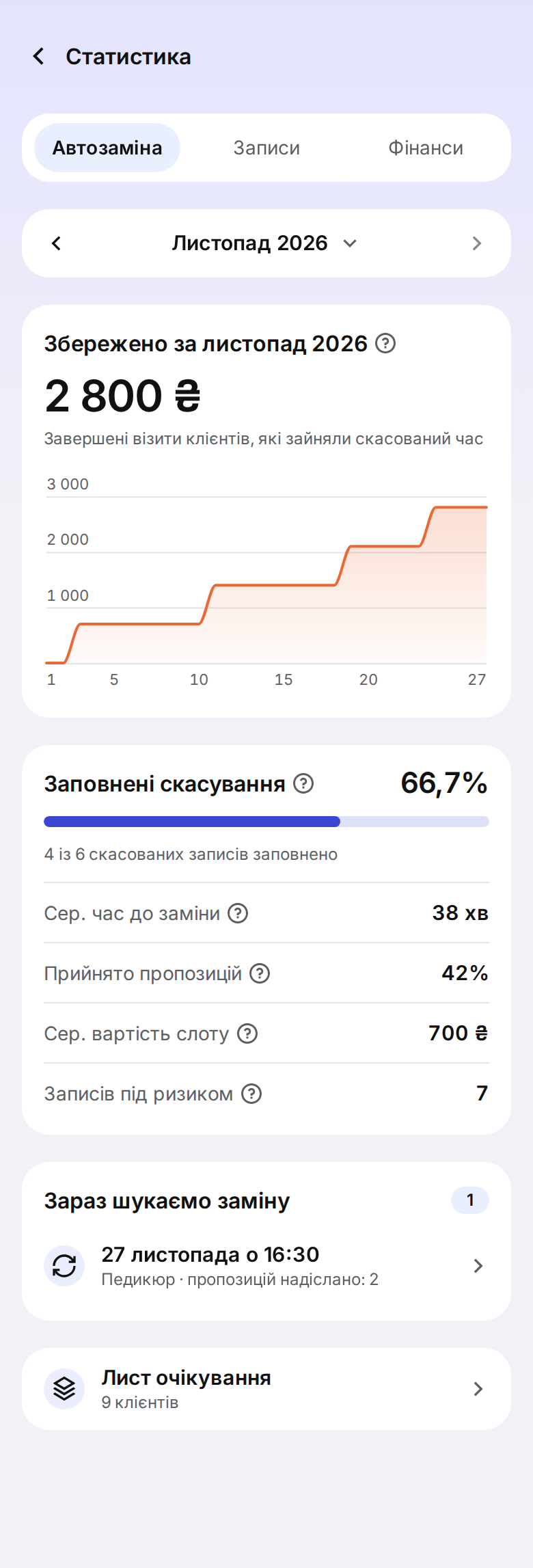
| Metric | What it means |
|---|---|
| Saved in [month] | Recovered revenue: the value of completed appointments that Fyveno used to fill cancelled slots. Revenue is counted by visit date. Filling a slot isn’t revenue until the visit is completed. |
| Filled cancellations | Free slots filled after a cancellation: how many cancelled appointments got a new client. |
| Avg. time to replace | Time from an offer to its acceptance. |
| Offers accepted | The share of accepted offers among finished offers. |
| Avg. slot value | Average recovered revenue per completed replacement appointment. |
| Appointments at risk | Future new and confirmed appointments. This isn’t a cancellation forecast. |
| Looking for a replacement now | Cancelled appointments with offers out right now, and how many offers were sent. |
| Waitlist | How many clients are on the waitlist now. |
Why an accepted offer isn’t revenue yet
Fyveno counts recovered revenue only after the replacement visit is completed. If a client accepted an offer but the visit is still ahead, the amount appears after it.
Appointments
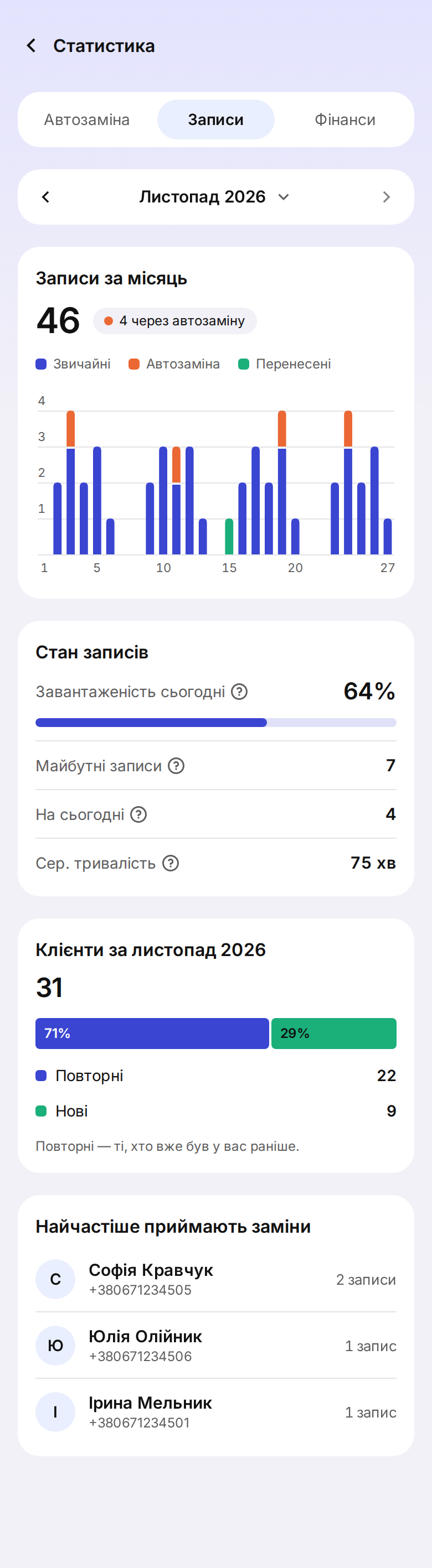
| Metric | What it means |
|---|---|
| Appointments this month | Appointments by day: regular, via auto-replacement and rescheduled. |
| Today’s workload | The share of today’s working time taken by appointments. Overlaps aren’t counted twice. |
| Upcoming appointments | New and confirmed appointments that haven’t started yet. |
| Today | New, confirmed and completed appointments today. |
| Avg. duration | Average duration of today’s new, confirmed and completed appointments. |
| Clients in [month] | How many clients you had this month. Returning clients are those who have visited you before. |
| Most often accept replacements | Clients who agree to a free slot most often. |
Finance
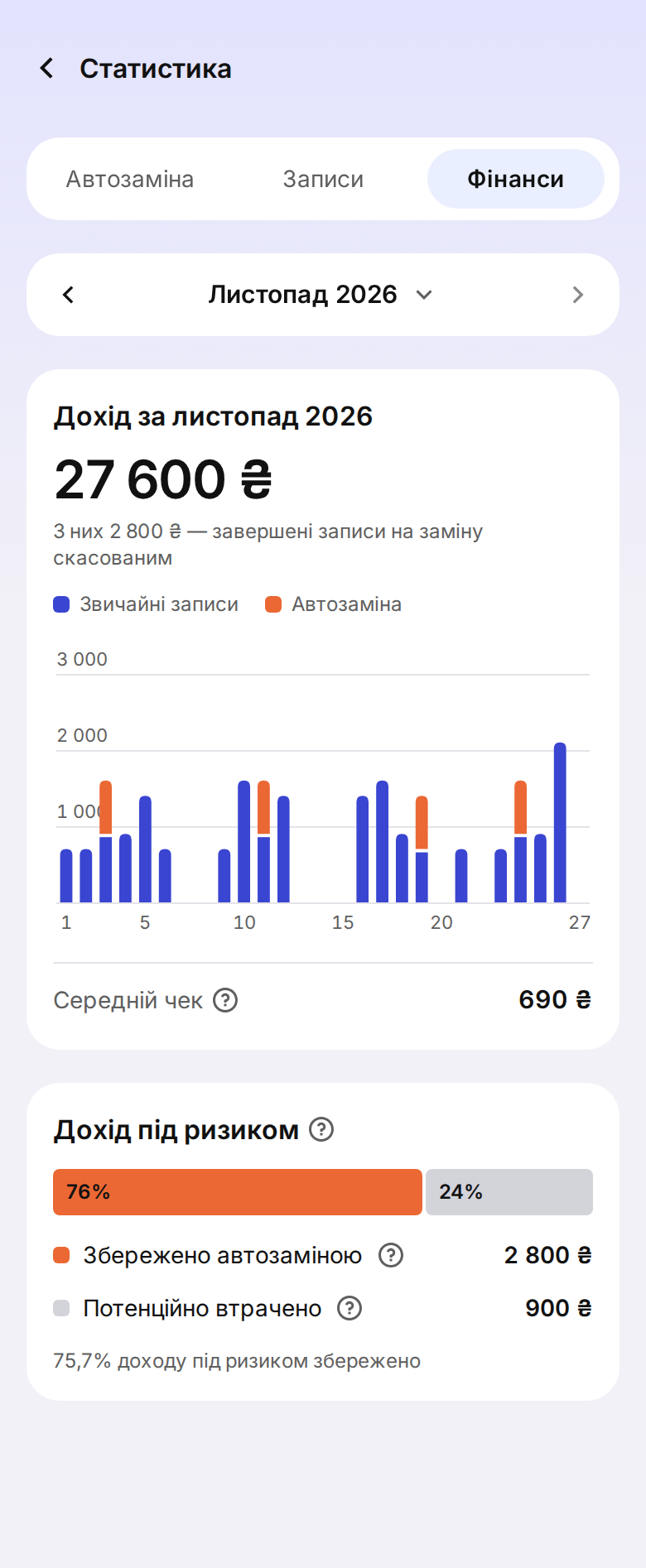
| Metric | What it means |
|---|---|
| Revenue in [month] | Revenue from completed appointments this month. The part that comes from replacements of cancelled appointments is shown separately. Revenue is counted by visit date. |
| Average ticket | The average value of a completed appointment this month. |
| Revenue at risk | Cancelled appointments whose time has passed: how many Fyveno filled with new clients and how many were left without a replacement. |
| Saved by auto-replacement | Recovered revenue: the value of completed appointments that Fyveno used to fill cancelled slots. |
| Potentially lost | The value of unfilled cancellations whose time has passed. This isn’t revenue you actually received. |
If statistics are empty
Data appears after your first appointments. The Auto-replacement tab fills up after the first cancellation, once Fyveno starts looking for a replacement.
Amounts use prices at the time of booking. If you later change a service price, past appointments aren’t recalculated.
Online booking settings
How clients book online through your page and the bot, and how to set the slot step, minimum notice, booking horizon and booking frequency.
FREE and PRO plans
The difference between the Fyveno FREE and PRO plans, how many appointments are free, and where you’ll be able to subscribe.